
COPY Club
Make COPY yours
Coming in the next release. Pick a device, add stickers and make COPY yours.
Joining COPY Club unlocks every current device, plus new ones as we release them, for as long as you're a member. Any devices you've bought or unlocked outside Club stay yours after membership ends. It also includes reactions, skip & replay, stickers, nicknames and activity.
Here's how it'll work.
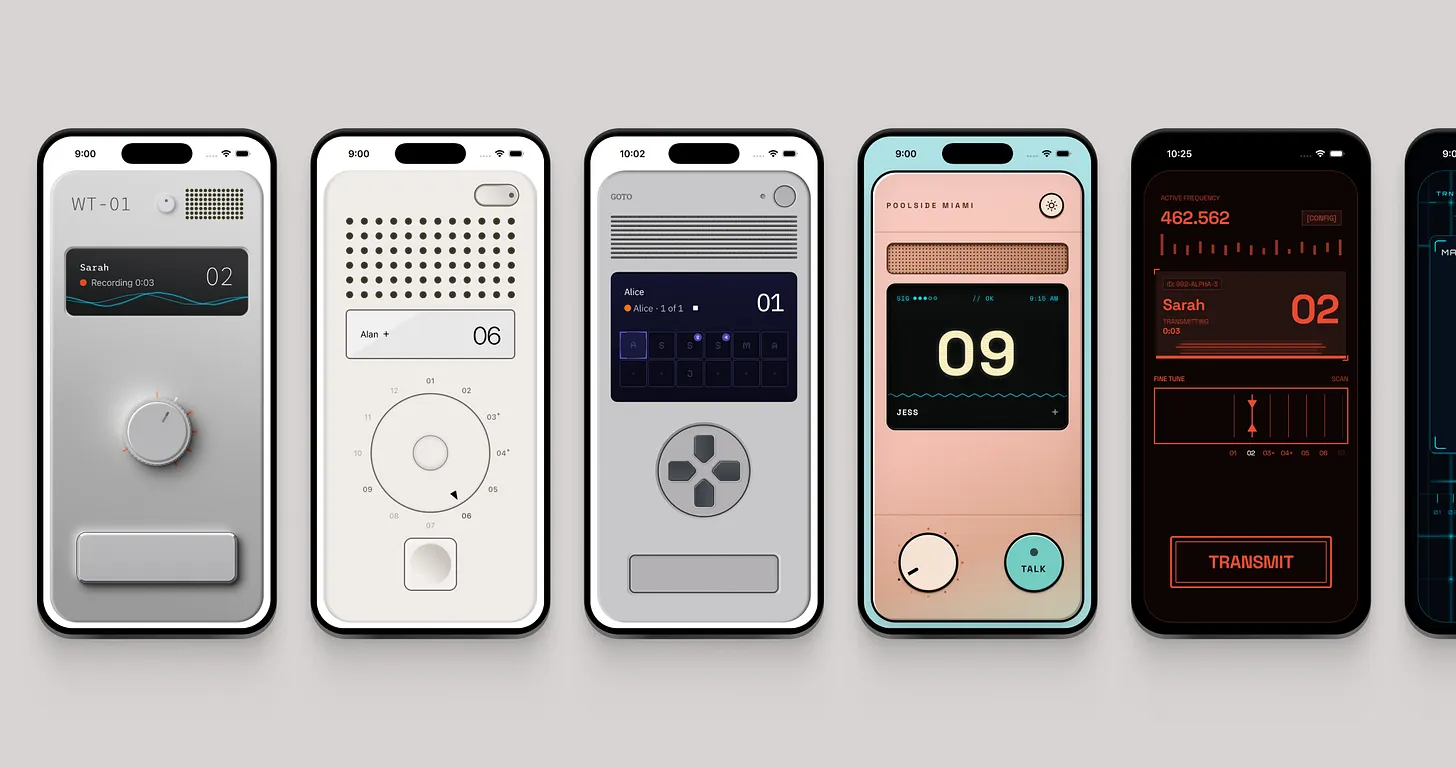
Pick a device
Each device skin changes how COPY looks, sounds and feels. Pick from color options for each device, and change them at any time.
Open Settings and tap the device preview at the top. Browse the devices and choose one as well as the color you'd like to rock.
Send a reaction
Sometimes you want to react to a message without having to record one back.
Swipe up on the channelplate to reveal reactions and move your thumb to the reaction you'd like to send. Once you let go it will send to everyone in the channel. Your friend can see it even if they don't have COPY Club membership.
Add stickers
In Settings, tap Stickers. Choose a sticker from the tray, then move, resize and position it how you want on your device skin. Tap Done when you're finished.
If you'd like to remove them, go back to settings. Tap stickers and then you can select and remove any stickers or reposition them.
Skip ahead or listen again
While a message is playing, tap the skip button to move past it.
With Skip & Replay on, messages can stay available for up to ten minutes after you first finish listening or skip them. When no new messages are waiting and replay is available, tap the channel display to listen again. Replaying a message doesn't restart the timer.
You can turn Skip & Replay on or off in Settings → COPY Club → Manage membership. Turning it off clears the messages kept for replay.
Give someone a nickname
On a friend's channel, press and hold the channel display. Tap Nickname, enter a name, then tap Save.
Only you see it. Their nickname follows them across your channels. Choose Use original name to remove it.
See your Activity
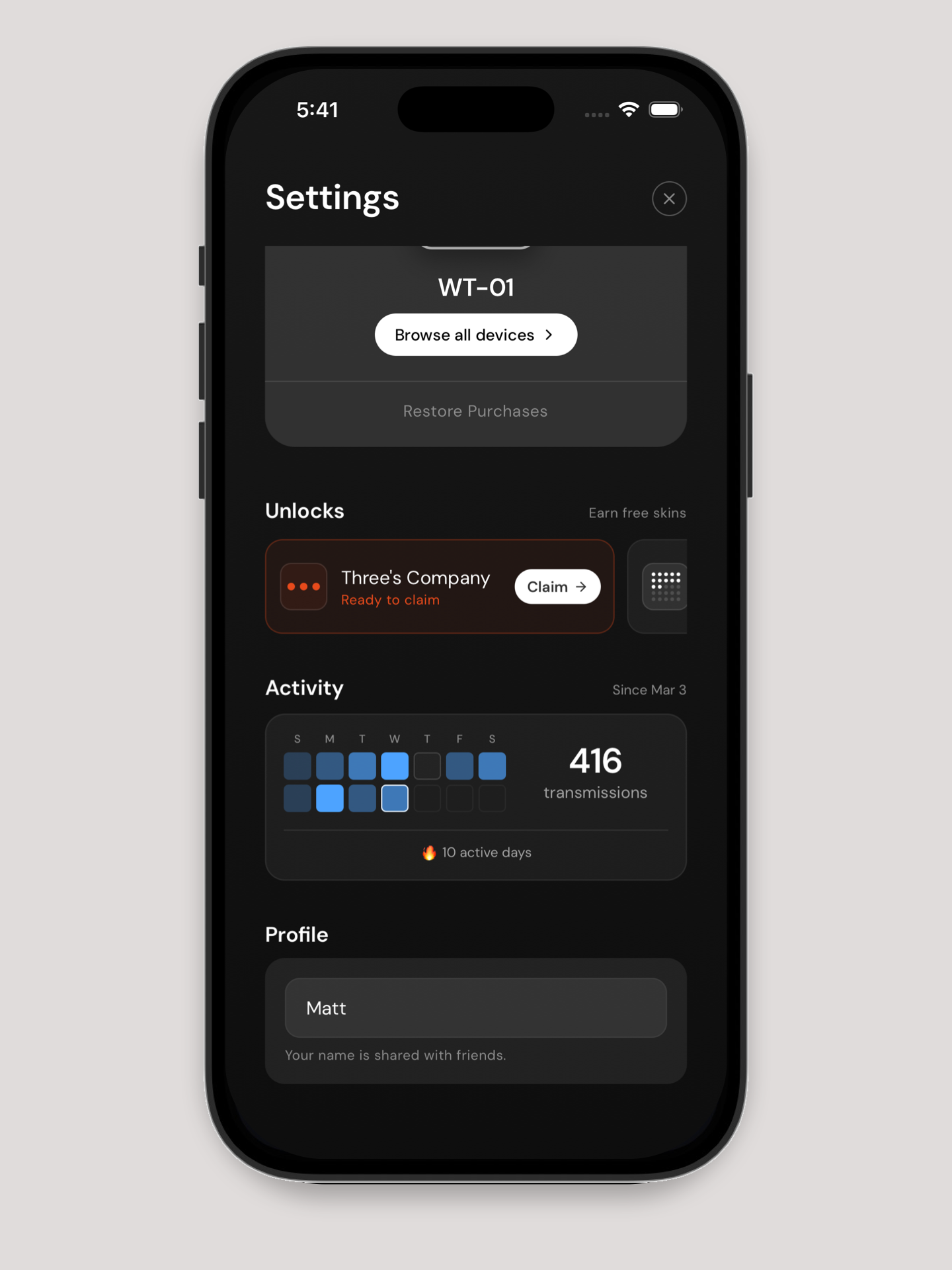
Open Settings to see your Activity: your transmissions and active days.
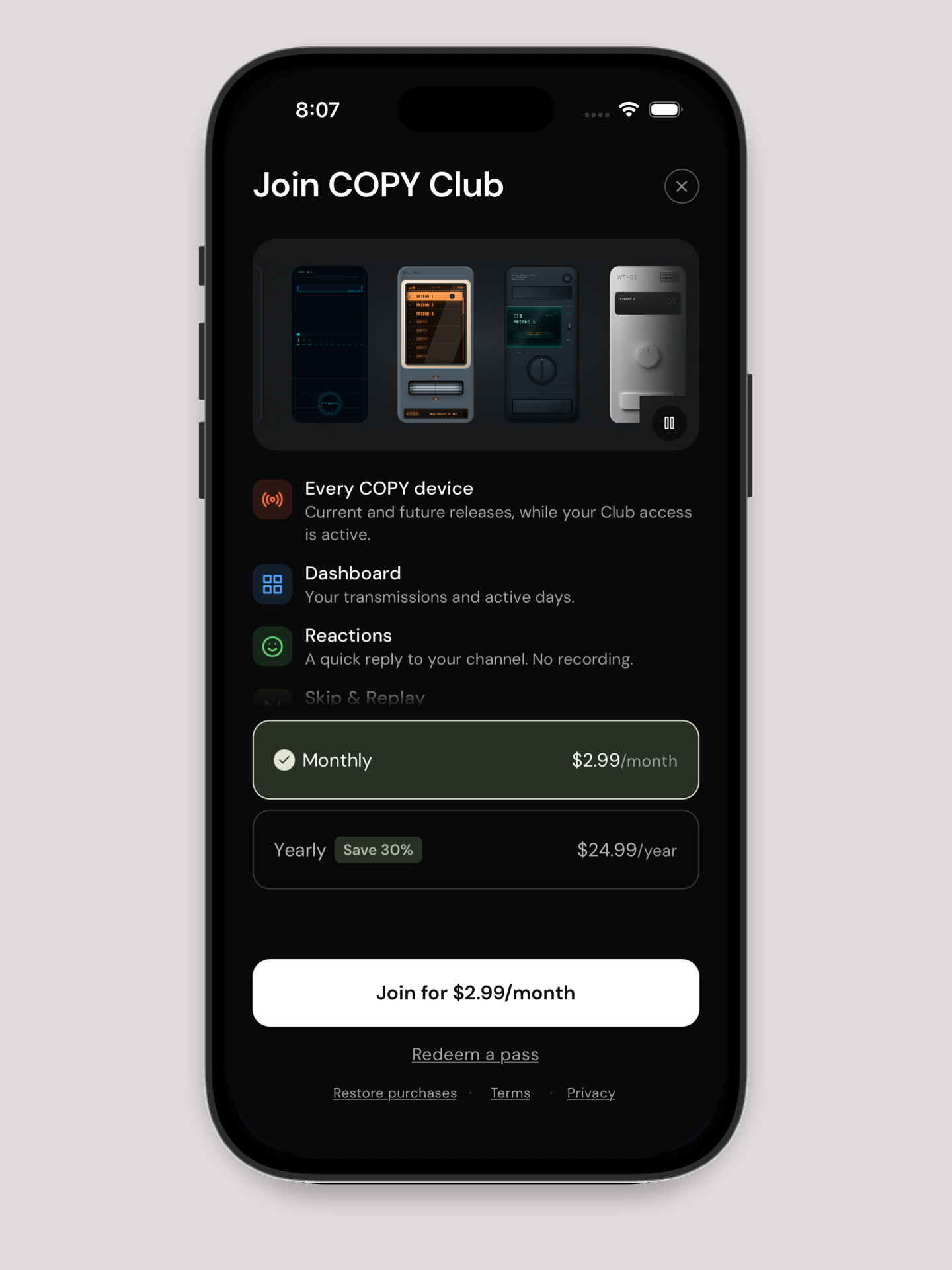
Join COPY Club
Monthly and yearly memberships arrive in the next release. Once you've updated, open Settings and tap Explore the Club on the Join COPY Club card. Choose a plan, then use the join button to complete your purchase.
Have a pass? Tap Redeem a pass, enter your code, then tap Redeem pass.
Manage your membership
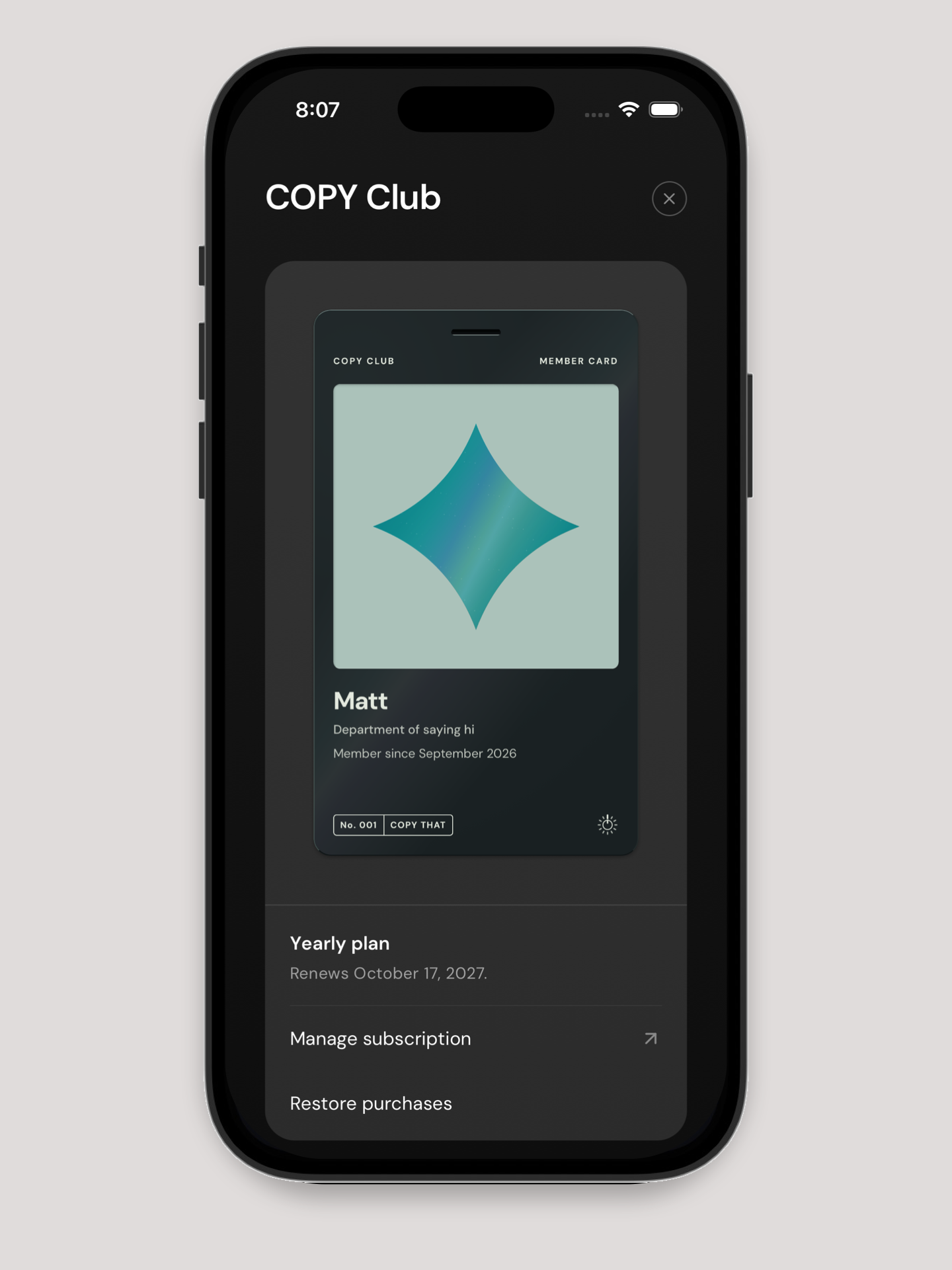
In Settings, find COPY Club and tap Manage membership. Your member card and membership details live here.
If you bought your membership through Apple, Manage subscription opens your Apple subscription settings. You can change or cancel your plan there.
Use Restore purchases to check for an existing Club purchase. If your membership is linked to a different COPY setup, restoring can move it to this one. Your friends and messages won't move with it.
Moving your whole COPY to another phone? Follow Move COPY to a new phone.
When membership ends
- Any devices you've bought or unlocked outside Club stay yours. If you're using a device that needs Club, COPY switches to one you own.
- You still receive reactions, but can't send new ones.
- Stickers and nicknames stay. You can remove them, but can't add or edit them.
- Skip & Replay becomes unavailable.
- Activity is only available with an active membership.